The GenBatch image generation API lets you create images programmatically from your own code or directly from Claude, ChatGPT, Cursor, Gemini CLI, and other MCP clients, with every image charged to your GenBatch credit balance. It has two surfaces that share one access key: a REST API for backend automation, and a hosted MCP server so assistants can generate images as a tool.
Start here if you want something you can paste into an AI tool. Everything uses the same gbm_ key, so you can start with curl and later drop the exact same key into Cursor, Gemini CLI, or any MCP client that accepts a bearer token. Claude and ChatGPT can also connect through the hosted OAuth connector flow.
Quickstart
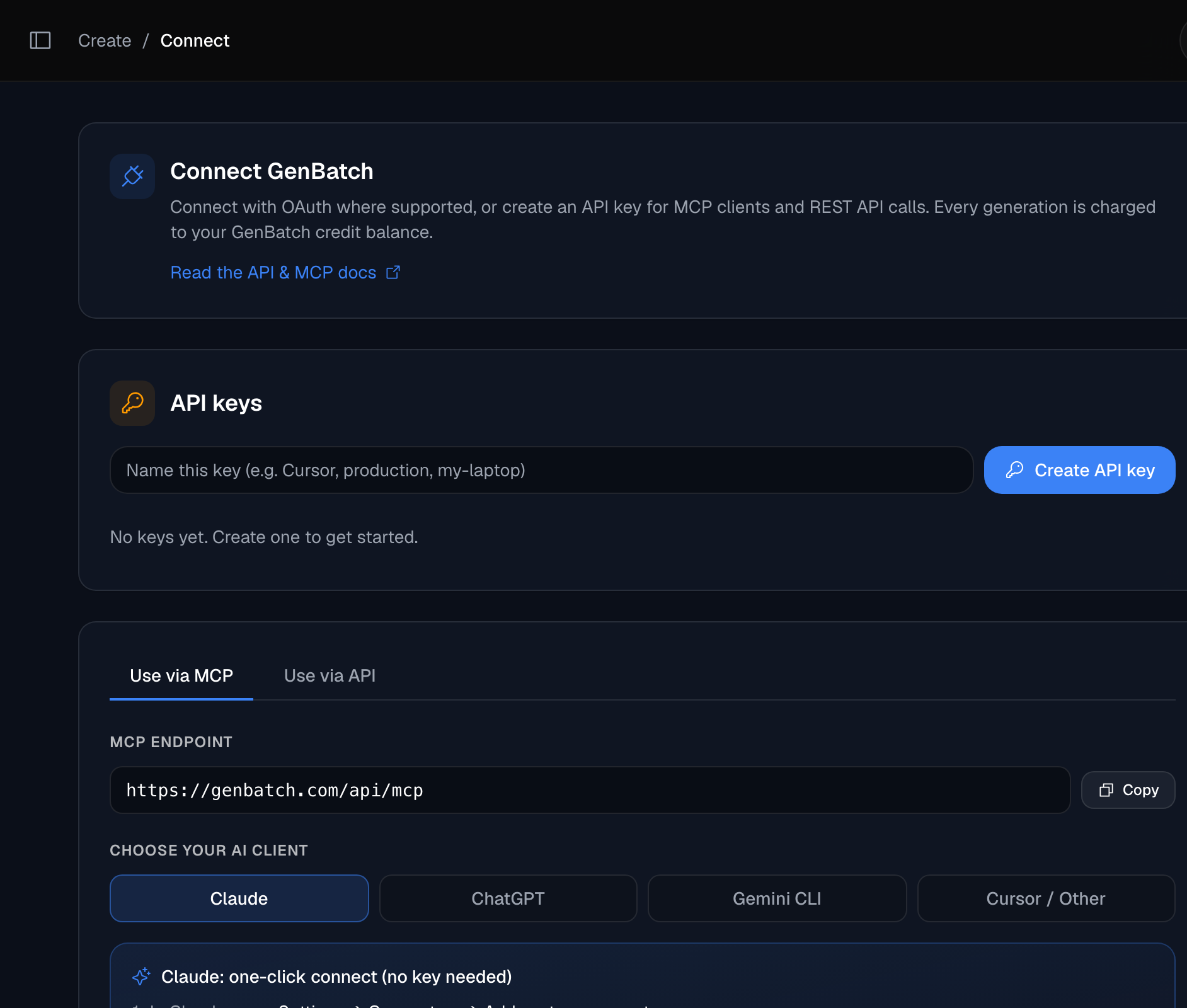
Paste into an AI or MCP client
Use this endpoint for hosted MCP:
https://genbatch.com/api/mcp
For manual clients that ask for headers, add:
Authorization: Bearer gbm_your_key_here
For Gemini CLI:
gemini mcp add --transport http --header "Authorization: Bearer gbm_your_key_here" genbatch https://genbatch.com/api/mcp
Claude and ChatGPT can use the connector/OAuth flow, so you can paste the MCP endpoint and sign in without manually handling a key where the client supports it.
Use the REST API
Create an access key
Go to /connect, create a key, and copy the gbm_... value. This is the only time it is shown.
Submit an image job
Send a POST to /api/queue/submit with your prompt. The response includes a job id, its status, and the cost in credits.
curl -X POST https://genbatch.com/api/queue/submit \
  -H "Authorization: Bearer gbm_your_key_here" \
  -H "Content-Type: application/json" \
  -d '{
    "type": "create-image",
    "requestData": {
      "prompt": "a red fox in snow",
      "number_of_images": 1,
      "aspect_ratio": "1:1",
      "image_model": "gpt_image_2"
    }
  }'
Poll for the result
Use the id from the submit response to check status at /api/results/<id>. Repeat until the status is completed (or partial).
curl https://genbatch.com/api/results/JOB_ID \
  -H "Authorization: Bearer gbm_your_key_here"
Read the image URLs
When the job finishes, the image URLs are in result_data.files[]. Download or reference those URLs from your app.
Authentication
You create an access key at /connect while logged in. The key is shown once, so copy it immediately and store it somewhere safe.
Key facts:
- Format is
gbm_followed by 64 hex characters. It is opaque, not a JWT, and only a SHA-256 hash is stored server-side. - Send it on every request in the header:
Authorization: Bearer gbm_.... - The same key works for both the REST API and the MCP server. Claude and ChatGPT connector flows mint the same kind of access token through OAuth, so
/api/mcpstill receives a normal bearer token. - You can hold up to 10 active keys per account. Each key is individually revocable at /connect and does not expire by default.
- Keys are per-user. A key can only ever act on its owner's account and credits.
Treat the key like a password. Because only a hash is stored, GenBatch cannot show it to you again after creation. If a key leaks, revoke it at /connect and create a new one. Nothing else needs to change on your side beyond swapping the value.
REST API reference
Submit a job
POST /api/queue/submit
Headers: Authorization: Bearer gbm_... and Content-Type: application/json.
The body has a type of create-image and a requestData object with the generation parameters.
Example request body:
{
  "type": "create-image",
  "requestData": {
    "prompt": "a red fox in snow",
    "number_of_images": 1,
    "aspect_ratio": "1:1",
    "image_model": "gpt_image_2",
    "reference_image_url": "https://files.genbatch.com/uploads/reference.png"
  }
}
Multi-prompt batch request:
{
  "type": "create-image",
  "requestData": {
    "items": [
      {
        "prompt": "minimal product photo of a black water bottle",
        "count": 2,
        "reference_image_urls": ["https://files.genbatch.com/uploads/bottle-reference.png"]
      },
      { "prompt": "studio product photo of a white water bottle", "count": 2 }
    ],
    "aspect_ratio": "1:1",
    "image_model": "gpt_image_2"
  }
}
A 200 response returns the job object, including id, status, and cost (the credits reserved for the job).
{
  "id": "job_abc123",
  "status": "pending",
  "cost": 1
}
Poll for the result
GET /api/results/<id>
Use the id from the submit response. While the job runs, status is one of pending, queued, or processing. When it reaches completed (or partial, when only some images succeeded), the image URLs appear in result_data.files[]. Multi-prompt jobs may also include result_data.items_results[] for per-prompt grouping and a result_data.gallery_url for the GenBatch gallery/download page.
{
  "id": "job_abc123",
  "status": "completed",
  "result_data": {
    "files": [
      "https://.../image-1.png"
    ]
  }
}
Results are retained and then auto-expire. A 410 response means the results have already expired, so store the URLs (or the images) once the job completes.
Check your balance
To read your balance programmatically with an access key, use the MCP get_credits tool (see the MCP reference below). It returns credits, your current spendable balance.
The browser endpoint GET /api/credits authenticates with your logged-in session, not with a gbm_ access key, so it is not part of the key-based REST surface. If you need a balance check in code, call the MCP tool.
Error codes
A 402 response looks like this, and no credits are deducted:
{ "error": "Insufficient credits. Required: 4" }
MCP server reference
The MCP server lets assistants like Claude generate images as a tool, using the same account and credit balance. It is hosted, remote, and stateless (Streamable HTTP), so there is nothing to install.
- Endpoint:
https://genbatch.com/api/mcpover Streamable HTTP. The route acceptsPOST,GET, andDELETEper MCP transport expectations. - Auth:
Authorization: Bearer gbm_...for manual clients. A401returns aWWW-Authenticatebootstrap header pointing to OAuth Protected Resource metadata, which lets connector clients discover/api/oauth/authorize,/api/oauth/token,/api/oauth/register, and/api/oauth/revoke. - Claude and ChatGPT can use the connector/OAuth flow. Gemini CLI, Cursor, MCP Inspector, and custom clients can use a manually created
gbm_key. - Add it as a remote MCP server in Claude, ChatGPT developer-mode connectors, Gemini CLI, Cursor, MCP Inspector, or another client that supports remote MCP. The server name is
genbatch.
Once connected, these tools appear automatically.
Generation tools are asynchronous. They return a job_id, then you call check_job with that job_id until ready is true and the files array holds the generated asset URLs. You can pass an image URL returned by check_job.files into frames_to_video as start_frame_url.
Ownership is enforced on check_job. Passing another user's job_id or an unknown one returns "No job found", with no information leaked about jobs you do not own.
The MCP key and the REST key are the same thing. You can generate a single key at /connect, use it in a curl script, and paste that exact value into Claude Desktop or Cursor. Revoking it at /connect disables both surfaces at once.
Credits and rate limits
Credits are the real spend cap. Every image costs 1 credit, so number_of_images set to 4 costs 4 credits, and an items[] batch is charged by the sum of each item's count. Billing is pay-on-success: the balance is checked upfront, and credits are only deducted after a successful generation. If your balance is too low, you get a 402 and nothing is charged.
On top of credits, the MCP server has per-user sliding-window rate limits. These are a runaway and abuse backstop, not your normal spend limit.
Exceeding a limit returns a tool error telling you how many seconds to wait. In practice your credit balance will usually be the constraint you hit first, not these limits.
Create your API key
Generate an access key and start calling GenBatch from your code or from Claude.
Open ConnectText completions API
GenBatch also serves an OpenAI-compatible chat completions API at GET /v1/models and
POST /v1/chat/completions, using the same personal gbm_ key and the same credit balance.
Three models are available, with streaming and reasoning control, priced in fractional
credits per million tokens.
Text access is enabled per environment. Where it is not enabled the endpoints return HTTP 503, and the text API card does not appear on /connect. The full reference, including the capability matrix of what the API supports and what it rejects, is published in the text API guide once text access is enabled for your environment.